How to Use the Marketing App
Create consistent social media content in minutes with AI.
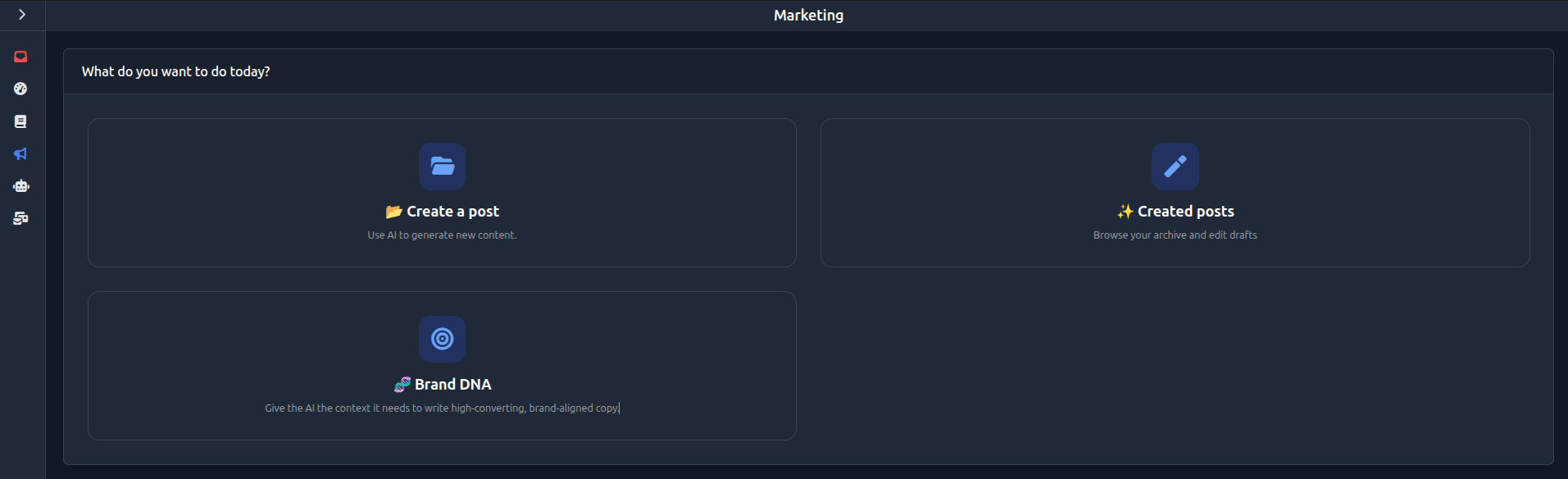
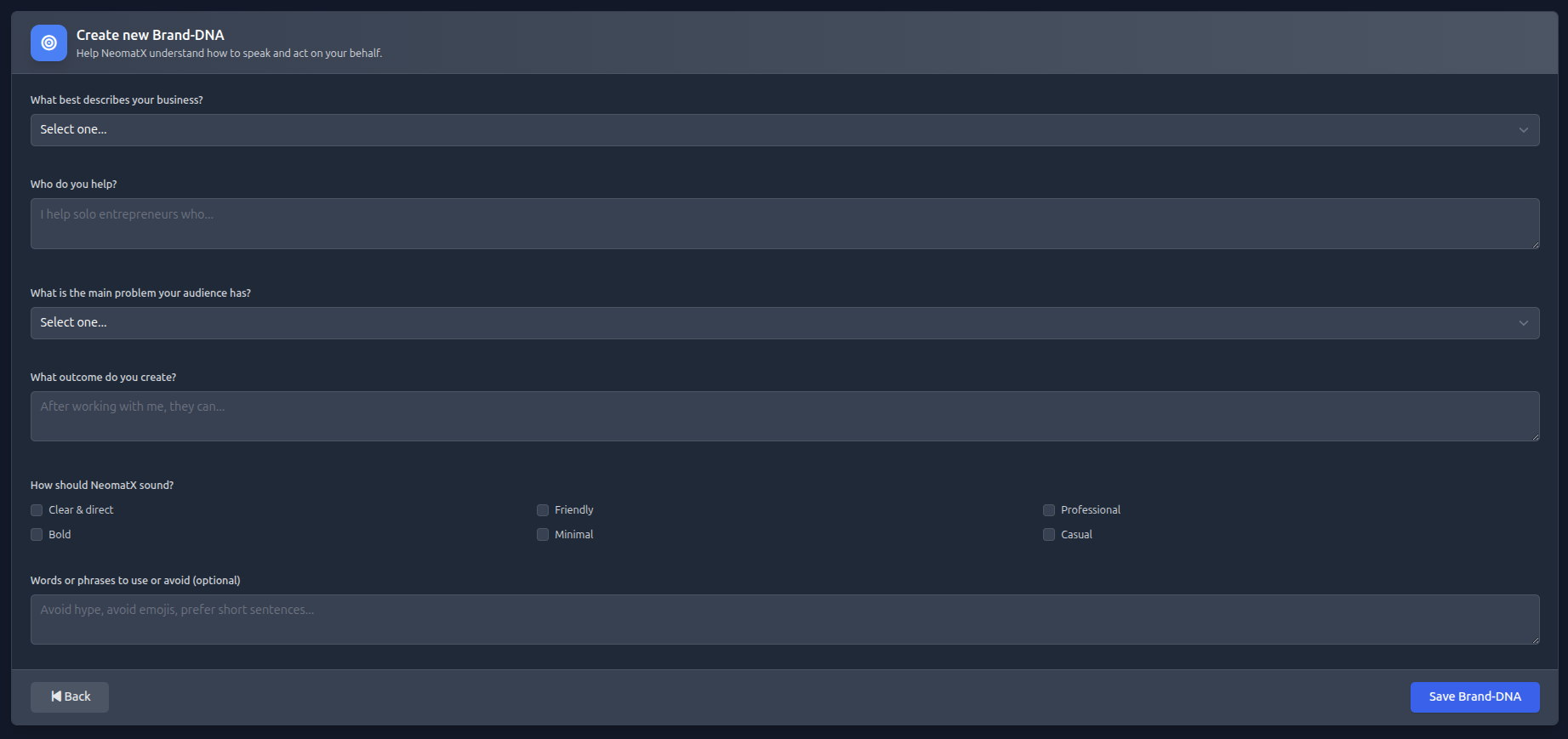
Open the menu and go to the “Marketing” section. There you will find “Create a post”, “Create new Brand-DNA” and “Created posts”. In “Create new Brand-DNA” you define your Brand DNA to ensure consistent communication. In “Create a post” you can create new posts. In “Created posts” you can manage all generated content.
Your Setup in few steps
Create new Brand-DNA
Start by creating your Brand DNA. It defines tone, style, and messaging consistency.
Create a post
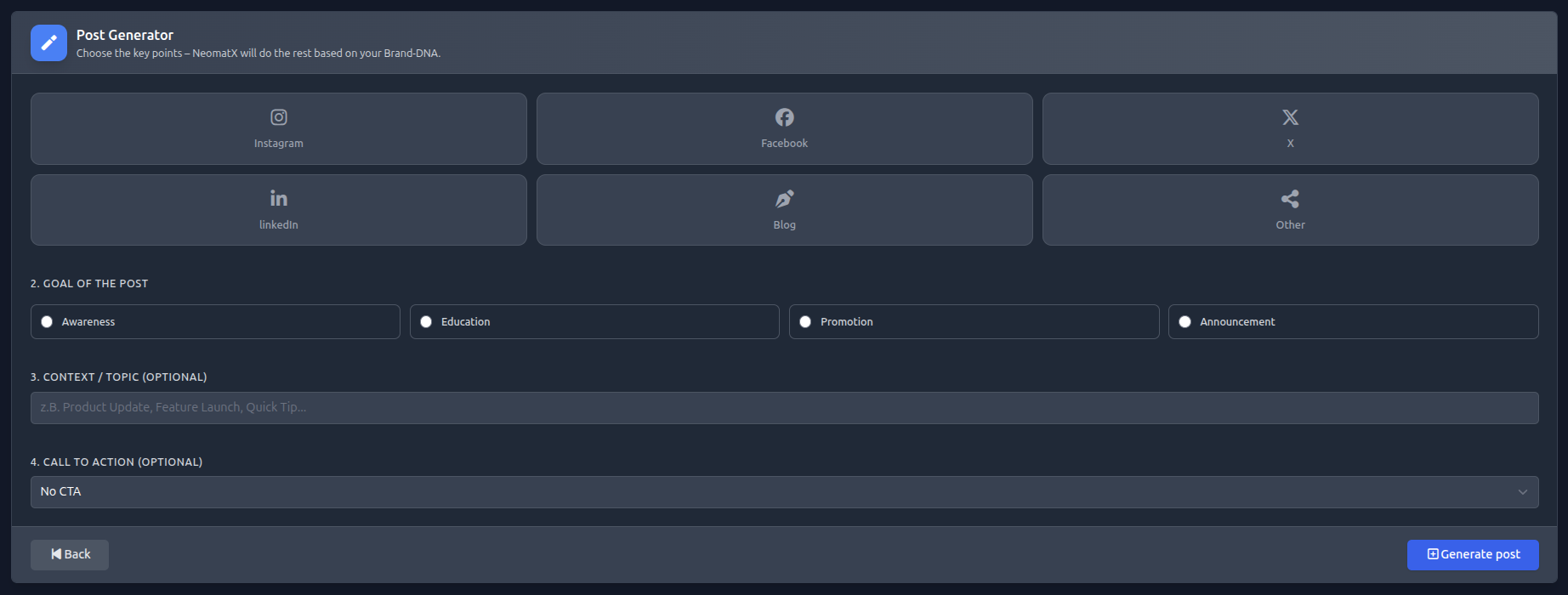
Go to “Create a post” to create a new social media post.
Select platform
Choose the platform you want to create content for (e.g. Facebook, Instagram, LinkedIn).
Goal of the post
Define the goal of your post, such as engagement, traffic, or sales.
Context / Topic (Optional)
Optionally provide context, such as a product update or announcement.
Call to Action (Optional)
Optionally select a call-to-action, e.g. “Sign up” or “Learn more”.
Generate content
Generate your post automatically and adjust it if needed.
Manage posts
View and reuse all generated posts in “Created posts”.